[Tutorial] API vs MCP
Currency Converter Python project via API vs via MCP in a step‑by‑step tutorial to show the difference

What is the difference between API and MCP?
MCP and APIs both let software interact with other systems, but they serve very different purposes:
APIs are built for developers
MCP is built for AI models.
MCP exists because AI models cannot reliably use APIs on their own.
API (Application Programming Interface)
A set of rules that lets software talk to software.
Designed for developers to request data or trigger actions.
Requires explicit coding: endpoints, authentication, error handling, etc.
Example:
GET https://api.github.com/users/username This returns structured JSON.
MCP (Model Context Protocol)
A protocol designed so AI models can safely interact with tools, data, and systems.
AI models cannot make real network requests or handle tokens, headers, or API formats.
MCP exposes “tools” with schemas that define the model’s inputs and outputs.
Acts as a bridge between an AI model and the real world.
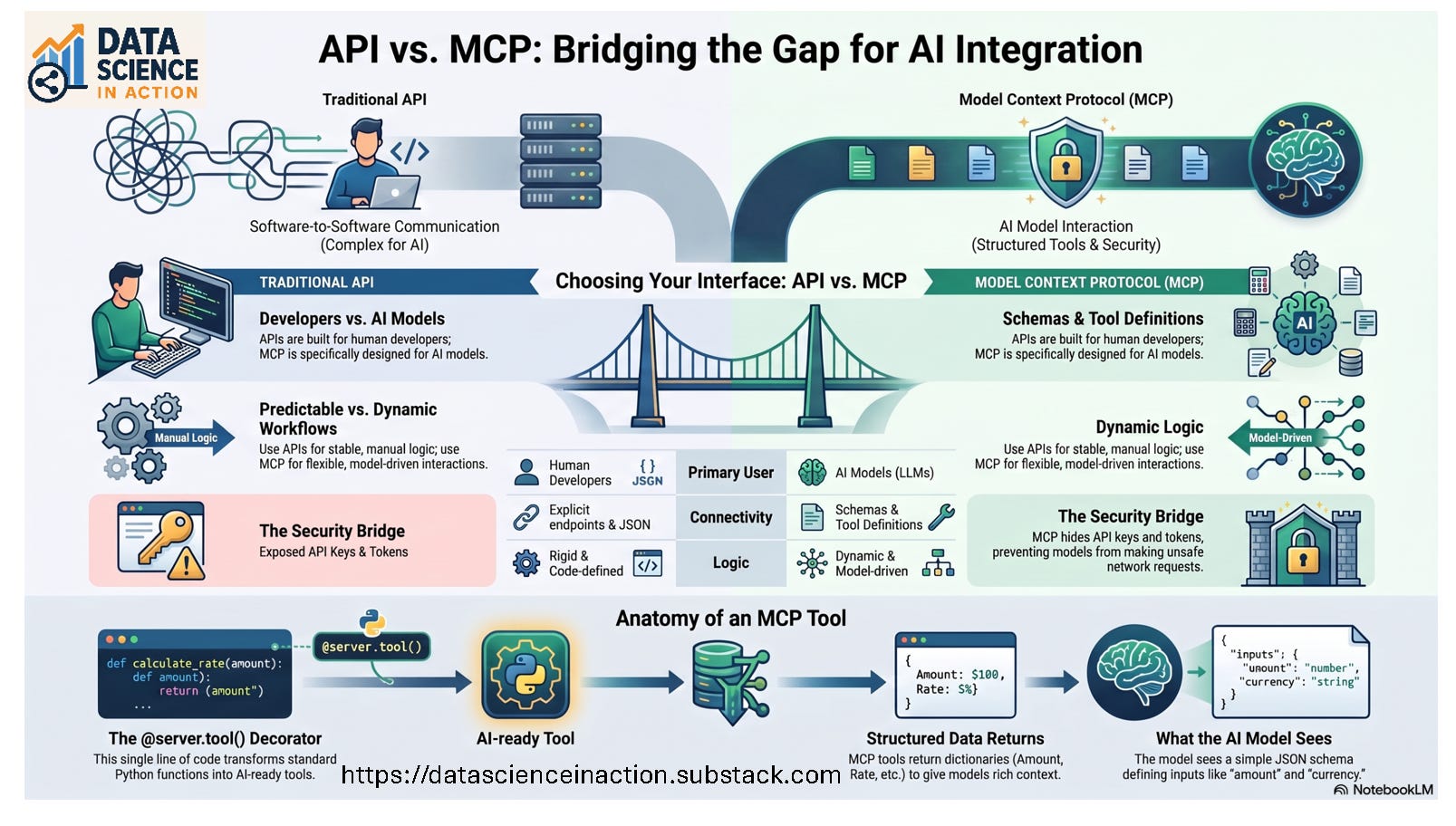
When to Use Which
Use APIs when:
You’re building software integrations
You need predictable, stable, repeatable workflows
A human developer is writing the logic
Use MCP when:
You want an AI model to interact with your systems
You need dynamic, model-driven workflows
You want strict control over what the model can do
PROJECT: Currency Converter
Let’s build a clean, real‑world example, perfect for learning both workflows, a currency conversion project:
Using a normal API key in Python
Wrapping the same functionality in an MCP server
We’ll build:
Part A: A Python script that uses an API key to convert USD → EUR
Part B: An MCP server that exposes a tool called
convertCurrency.So an AI model can do the same conversion safely
Everything is step‑by‑step and runnable.
PART 1: Using a Currency API Directly
We’ll use ExchangeRate‑API, which has a free tier and simple keys.
Step 1.1: Create an account and get your API key
Go to the ExchangeRate‑API website
Click Sign Up
Create an account
Go to your Dashboard → API Keys
Copy your key