
[Tutorial] Building Your First Claude Code Refactoring Agent
From spec to automated refactoring in 30 minutes. Step-by-Step: Build a Claude Code Agent That Refactors Your Legacy Codebase

In the last article, I explained why agent-based refactoring works. Now you’re probably thinking, “Okay, that sounds great, but how do I actually build one?”
Let me walk you through it. By the end of this tutorial, you’ll have a working Claude Code agent that can refactor one of your modules according to a spec you define.
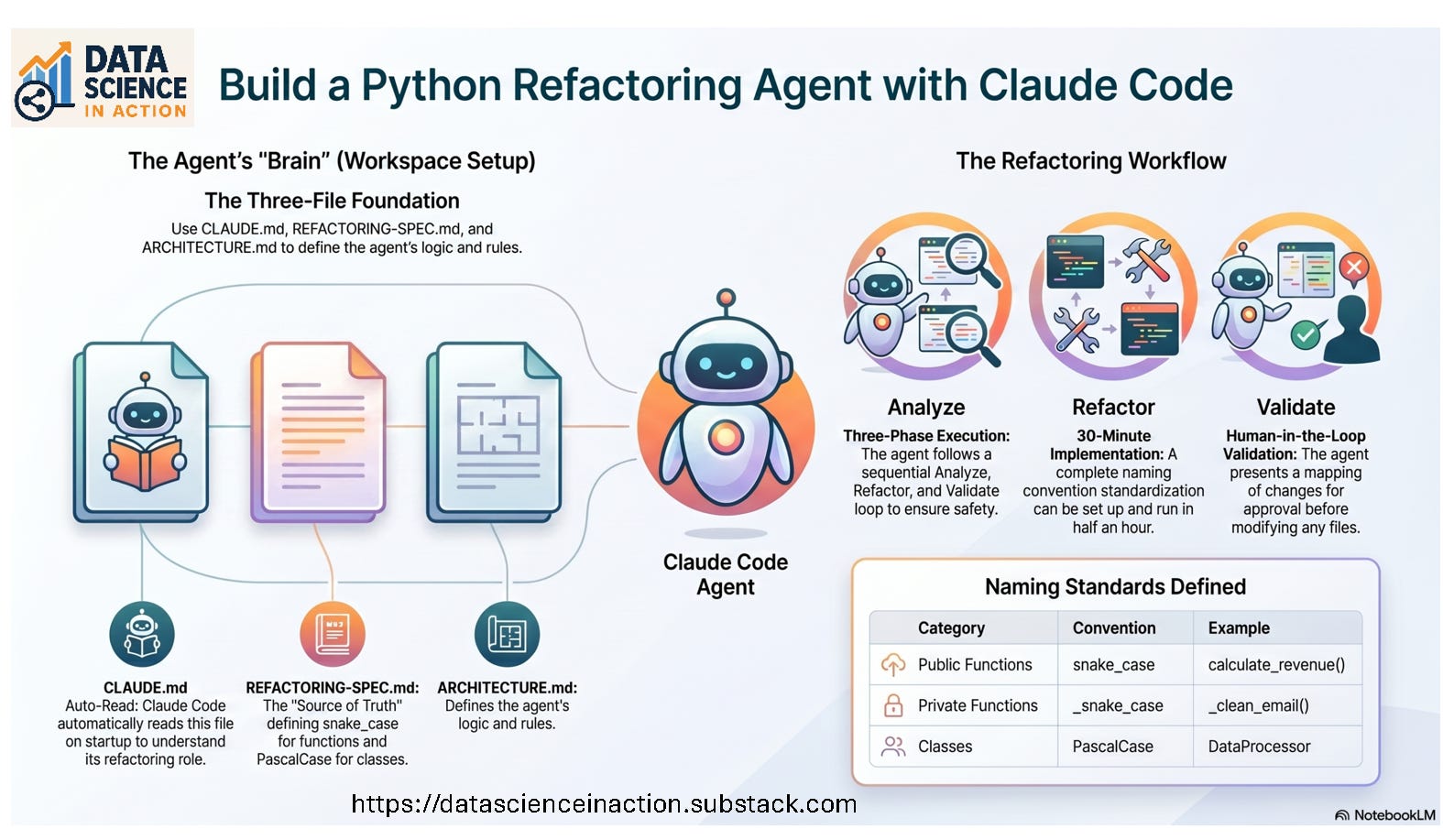
What we’re building: A Claude Code agent that standardizes function naming conventions in your Python codebase.
Time investment: 30 minutes.
Prerequisites: VS Code, Claude Code extension installed, and one Python module you want to refactor.
Step 1: Create Your Project Structure
First, create a new folder for your agent workspace. I’m calling mine refactor-agent.
mkdir refactor-agent
cd refactor-agent
Inside that folder, we need three markdown files that Claude Code will read:
CLAUDE.md(your agent’s brain)REFACTORING-SPEC.md(the specification you want maintained)ARCHITECTURE.md(how your agent thinks about the problem)
Let me show you each one.
